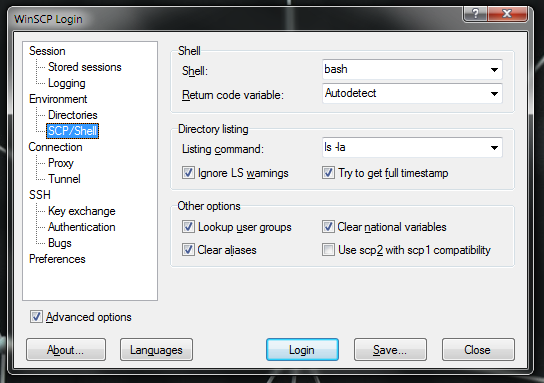
Getting your WinSCP client talking to Arista’s EOS can take a little bit of poking. There are basically 2 steps, one on the switch side, and a small client adjustment.
Switch Configuration
Basically for this magic to happen you need to ensure that the user gets privilege level 15 upon login
aaa authorization exec default local
will enable this for all local accounts.
Client Configuration
Here you need to go into settings, check ‘Advanced Settings’ and put the shell as just ‘bash’. If you select ‘/bin/bash’ from the dropdown this won’t work as this part is effectively issued as a command to the EOS CLI, which won’t recognise it.