Category Archives: Gadgets

Realtek RTL2832U on Linux (Debian)

So, now that I’d dipped my toe in the water with the RTL2832U on Win10, I actually planned on permanently integrating it into my media setup with is based on a RPI3 running OpenElec and a Debian server providing backend storage.

This turned out to be one of those good news bad news situations. The good news is that the dongle has kernel support, the bad news was that Wheezy was still on 3.2 which was lacking this support. After a failed attempt to compile the driver, followed by a failed attempt to compile the kernel (stupid linux-headers not found!) I just went ahead and upgraded the box to Jessie (Linux 3.16.0-4-amd64 #1 SMP Debian 3.16.7-ckt25-1 (2016-03-06) x86_64 GNU/Linux).

A long update, upgrade, dist-upgrade later and the dongle was in and recognised

[    1.196017] usb 8-1: Manufacturer: Realtek
[   19.650428] usb 8-1: dvb_usb_v2: found a 'Realtek RTL2832U reference design' in warm state
[   19.717623] usb 8-1: dvb_usb_v2: will pass the complete MPEG2 transport stream to the software demuxer
[   19.717658] DVB: registering new adapter (Realtek RTL2832U reference design)
[   19.721246] usb 8-1: DVB: registering adapter 0 frontend 0 (Realtek RTL2832 (DVB-T))...
[   20.007861] i2c i2c-9: rtl2832_sdr: Realtek RTL2832 SDR attached
[   20.015340] input: Realtek RTL2832U reference design as /devices/pci0000:00/0000:00:1d.7/usb8/8-1/rc/rc0/input6
[   20.015348] rc0: Realtek RTL2832U reference design as /devices/pci0000:00/0000:00:1d.7/usb8/8-1/rc/rc0
[   20.104268] input: MCE IR Keyboard/Mouse (dvb_usb_rtl28xxu) as /devices/virtual/input/input7
[   20.104356] usb 8-1: dvb_usb_v2: schedule remote query interval to 400 msecs
[   20.117509] usb 8-1: dvb_usb_v2: 'Realtek RTL2832U reference design' successfully initialized and connected
[   20.117602] usbcore: registered new interface driver dvb_usb_rtl28xxu
[   20.160507] rc rc0: lirc_dev: driver ir-lirc-codec (dvb_usb_rtl28xxu) registered at minor = 0

Next step…

Installing tvheadend

My original plan was to just have the dongle running directly connected to the RPI but power was a concern (no powered hub) and since my linux server is always running anyway, why not install the backend software there and have the tvheadend client running on the RPI/OpenELEC side of things?

Installation isn’t actually that straightforward but can be broken down into a few steps

  1. Install the package
    This involves adding the tvheadend repository to your sources list and you will add a user account/password as part of the install process

    sudo apt-key adv --keyserver hkp://keyserver.ubuntu.com:80 --recv-keys 379CE192D401AB61
    echo "deb https://dl.bintray.com/tvheadend/deb <strong>jessie stable</strong>" | sudo tee -a /etc/apt/sources.list
    sudo apt-get update
    sudo apt-get install tvheadend
  2. Configure via the web interface at <IP Address>:9981
    1. Check that your dongle shows up under Configuration -> DVB Inputs -> TV Adapters
    2. Under Configuration -> DVB Inputs -> Networks, add a DVB-T network (for Ireland) and select from the list of Pre-defined MUXs (Ireland-WoodcockHill for me)
      create-dvbT-network
    3. Back under Configuration -> DVB Inputs -> Networks, map the newly created network to the dongle
      hardware-network-mapping-DVB-T
    4. Under Muxes, the scan status for the added muxes will start at ‘Idle’ then eventually start scanning and find your channels
    5. You should see the Services start to be listed as they are discovered, and at this point under Configuration -> Channel, you can map the service to a channel
      channel-config-DVB-T
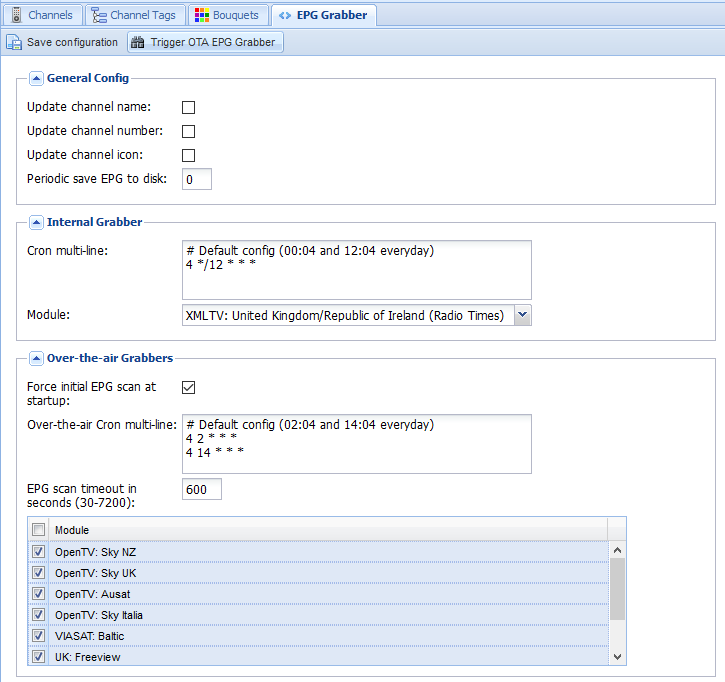
    6. Last step on the backend side is to enable the EPG. I have both the OTA grabber and the Radio Times for UK/Ireland enabled and we are doneEPG-grabber-DVB-T
      EPG-DVB-T

On the OpenELEC frontend, much simpler.

Install the add-on from under PVR, configure it with the hostname, username, and password, and under Settings -> TV, Enable live TV. Sorted!

Bragi – Dash

In case you haven’t seen them, Bragi has finally shipped the kickstarter funded smart wireless headphones. They are ~1 year late, not uncommon for a hardware project of this ambition, but now that they are here I’ve found them to be well worth the wait.

In spite of the many delays, this has been one of the better hardware projects. The team at Bragi have been great at communicating their progress, the issues that they’ve encountered (many) and how they plan to work around them – the up front communication throughout the project had kept my interest and anticipation high and what is sitting on my desk is a quality piece of hardware engineering.

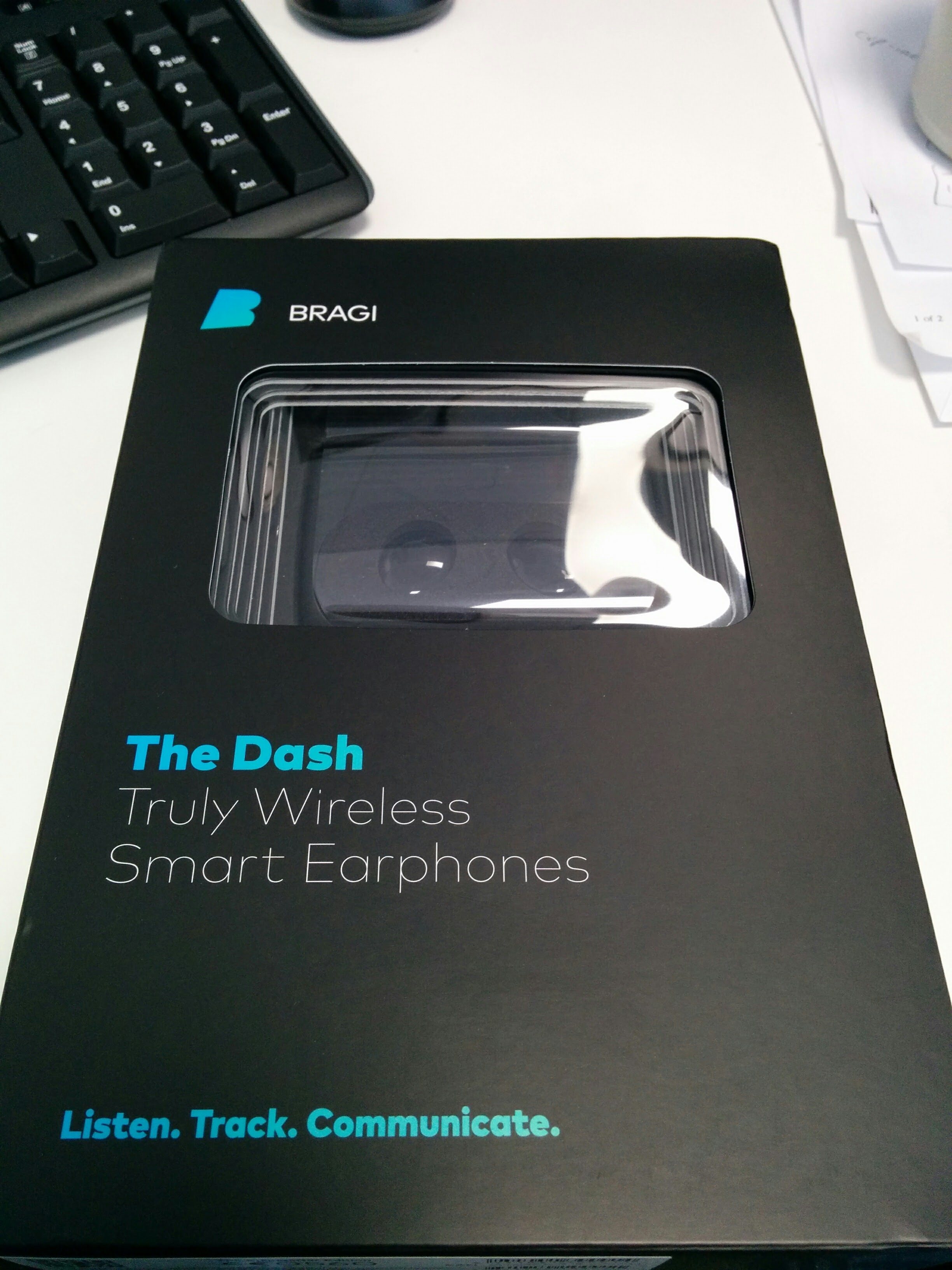
Dash - Still in the boxInitial Impressions

Very nicely packaged and definitely looks and feels like a high quality product – Apple would be jealous of the packaging 🙂 The only downside is that the rubber sleeves, which are definitely inferior quality. A very minor thing, but does detract from the quality.

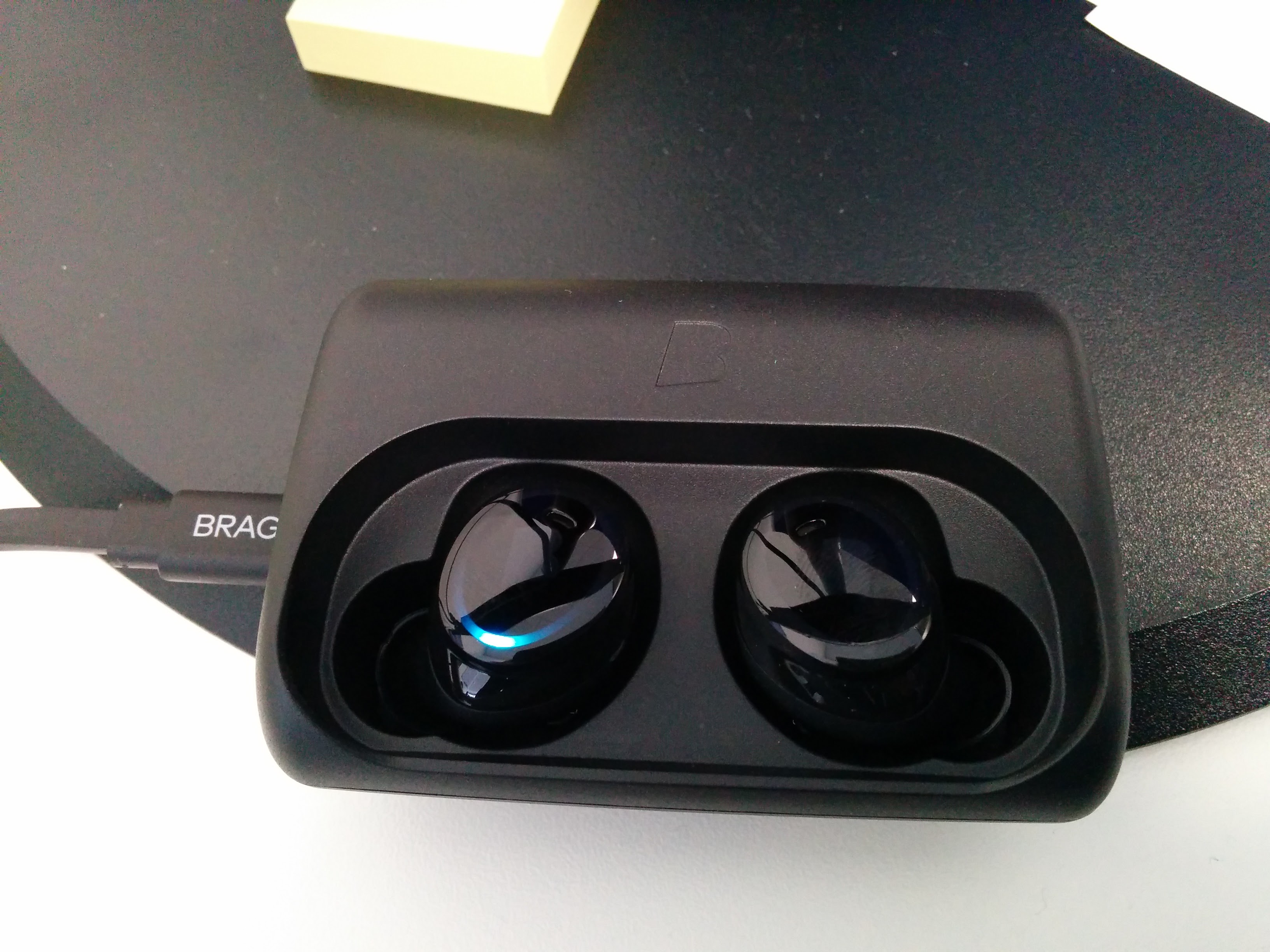
Dash - Charging Nicely9/10

General comments

  • Packaging and presentation – really excellent, a quality build. 9/10
  • Initial setup – very smooth. A little difficult to get used to where exactly to touch to trigger the sensors, but that problem goes away with use. 8/10
  • Audio Quality – quite good. Occasional problem with interference when streaming bluetooth but that is expected. Bass is a touch weak, but could probably address that. White noise is only really noticeable when there is nothing playing. 7/10
  • Audio under water – haven’t been brave enough to try that 🙂
  • Touch controls – take a little practice, but after about an hour of playing with it the “sweet spot” was starting to be come intuitive
  • Audio transparency – takes a little getting used to, but awesome 9/10

Tips and Tricks

Use the Internal Music Player and stay Paired for calls – David Dohmen

The connection [Dash -> Bragi App] uses BLE, and is hosted from the left Dash.
The connection [Dash -> Telephony & Music Streaming] uses Bluetooth Classic, and is hosted on the Right Dast.

These two links are independent, you can use one without using the other.

With newer Android versions you can even go further:
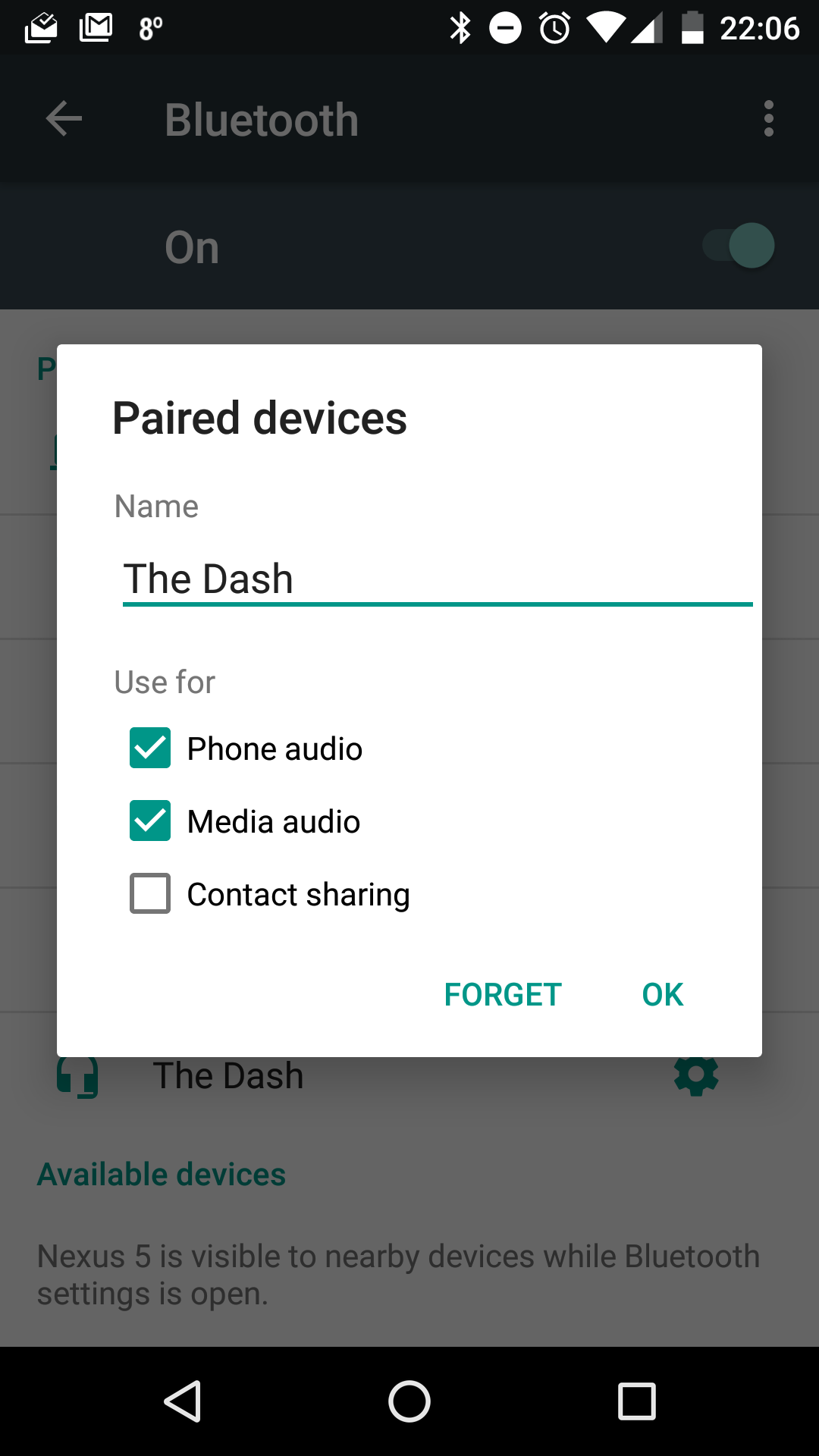
Under Settings -> Pairing Devices -> The Dash
you’ll be able to de/activate both Phone audio (Calls and notifications) and Media audio (Music streaming) separately.

Dash - Bluetooth Configuration
That way you can listen to the internal player but you will still get calls for example.

Update on the Belkin WeMo Switch

As I noted previously I was less then pleased with the WeMo. Basically I had to put in a few hacks to allow me to manage it via RPi and the excellent ouimeaux tool rather then the provided app and/or IFTTT.

It seemed that anything ‘cloudy’ wasn’t working at all. Possibly because my home router was in turn sitting behind a CG-NAT solution, possibly not…

Thankfully the latest set of firmware updates (now running WeMo_WW_2.00.8643.PVT-OWRT-SNS) seems to have sorted all of those issues. Android app works as expected (can turn it on and off) from both the local network and remotely, as can IFTTT, so I’m definitely happier with the product now then when I bought it.

Streaming Sports with the Airtame

I decided that a good test of the Airtames abilities would be some sports streaming from my PC (wired ethernet to router) via 2.4GHz WiFi to the Airtame sitting in the back of the TV. Tried using the default settings but had a number of problems:

  • Echo/stuttering audio
  • Disconnects
  • Audio growing further and further out of sync (falling behind) the video

The source material is Sky Sports rugby coverage of the Top14 Clermont vs. Toulon match so streaming to PC via SkyPlayer which is making use of a Silverlight DRM system. Downlink is 120Mbps so no bandwidth issues there, and light web traffic on the WiFi network.

After making a number of adjustments to the router configuration there was a small improvement, but still not very watchable. Next approach was to try and go for deep buffers so I configured (Manual mode) the buffers up to 10 seconds, and the max buffers to 15 seconds. This improved stability, but over time (10mins) the audio fell out of sync again – even worse then before, so obviously deeper buffering isn’t always a good thing.

Best settings so far

Continued experimentation has the following as the best settings so far (firmware v1.0.0-b1):

  • Reliability: Reliable
  • Quality: Medium
  • FPS: 24
  • Buffer: 3 seconds
  • Max Buffer: 5 seconds
  • Audio: on

On a 40″ (1080p mode) screen (Samsung) you can see that there is some compression going on, but then the Sky Player (DRMed using Silverlight based system) isn’t pumping out fantastic quality either, but no audio issues (stuttering gone), stable video and audio, and all seems to be keeping in good sync. So far running for ~60mins without any issue.

Next steps will be trying to monitor it more (network conditions, latency, device load, etc.) and upping the quality levels to see where we hit a wall again…